

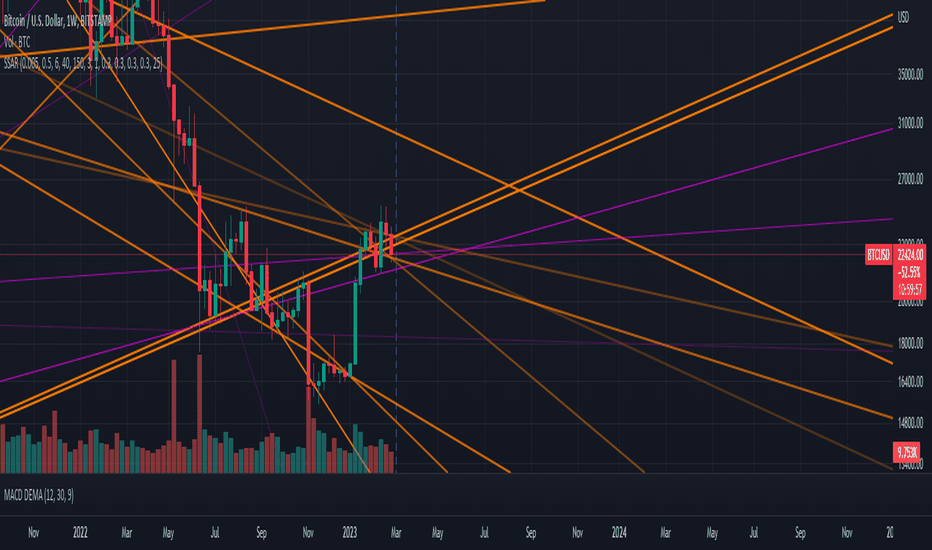
Price action tells part of the story, but volume reveals the truth. Many traders focus solely on candlestick patterns and indicators, ignoring the crucial role volume plays in confirming trends and predicting reversals. Understanding how to analyze volume can significantly improve trade timing and decision-making. That’s where TradingView comes in. With its advanced volume indicators and real-time market data, TradingView provides traders with the tools needed to spot high-probability trade setups before the rest of the market reacts.
Why Volume Analysis Matters in Trading
Volume represents the number of shares, contracts, or units traded in a given period. When combined with price movements, it helps traders determine the strength of a trend. Higher volume means stronger conviction behind a price move, while low volume can indicate indecision or potential reversals. TradingView offers several volume-based tools to help traders interpret market activity accurately.
Using TradingView’s Basic Volume Indicator
The simplest way to start analyzing volume on TradingView is by adding the built-in volume indicator to your chart. It displays volume bars at the bottom of the chart, color-coded to show whether buying or selling pressure dominates.
Here’s how to interpret it:
- Rising volume with rising prices – Confirms a strong uptrend, indicating buyers are in control.
- Rising volume with falling prices – Suggests strong selling pressure, signaling a potential downtrend.
- Low volume with price movement – Indicates weak conviction, meaning the trend may lack sustainability.
By keeping an eye on these patterns, traders can assess whether a trend is likely to continue or reverse.
Spotting Institutional Activity with the Volume Profile
One of the most powerful yet underrated tools on TradingView is the Volume Profile. Unlike standard volume bars that track activity over time, the Volume Profile shows where trading activity is most concentrated at specific price levels. This helps traders identify key areas of support and resistance based on institutional buying and selling.
To use it:
- Open TradingView and select the Fixed Range Volume Profile from the indicator list.
- Highlight a specific time period to analyze trading activity within that range.
- Look for high-volume nodes (areas with heavy trading) to spot key price levels where big players are active.
These high-volume areas often act as major support or resistance levels, giving traders strategic entry and exit points.
Using On-Balance Volume (OBV) for Trend Confirmation
Another valuable indicator available on TradingView is On-Balance Volume (OBV). OBV accumulates volume based on whether prices close higher or lower, helping traders confirm trends before price action fully reflects them.
Here’s how to use OBV effectively:
- If OBV is increasing while price is rising, the trend is strong and likely to continue.
- If OBV is falling while price is rising, it signals divergence, meaning the uptrend may be weakening.
- A breakout in OBV before a price breakout can signal an early trading opportunity.
Using OBV alongside other technical indicators enhances trade confidence and reduces false signals.
Setting Alerts to Stay Ahead of Volume-Based Moves
Manually tracking volume spikes can be challenging, but TradingView allows traders to set custom alerts for volume-based signals. Traders can configure alerts to notify them when:
- Volume surges past a defined threshold.
- A volume divergence occurs with price action.
- The Volume Profile identifies a high-activity price zone.
These alerts ensure traders never miss a critical market move, allowing them to react faster and with better precision.
Why TradingView’s Volume Analysis is a Game-Changer
Understanding volume is essential for making informed trading decisions, and TradingView provides traders with the right tools to analyze it effectively. From basic volume indicators to advanced features like the Volume Profile and OBV, TradingView helps traders spot strong trends, reversals, and institutional activity before they fully unfold.
If you’re not already incorporating volume analysis into your trading strategy, now is the time to start. With TradingView, you gain an edge in tracking market momentum, improving trade accuracy, and staying ahead of the crowd.
